
After a TeamsID has been setup, you can create one or more teams. Each Team in has its own set of members with specified permissions. Any record can be shared with one or more teams. A team can also have one or more Team Admins to manage the team.

Add a team
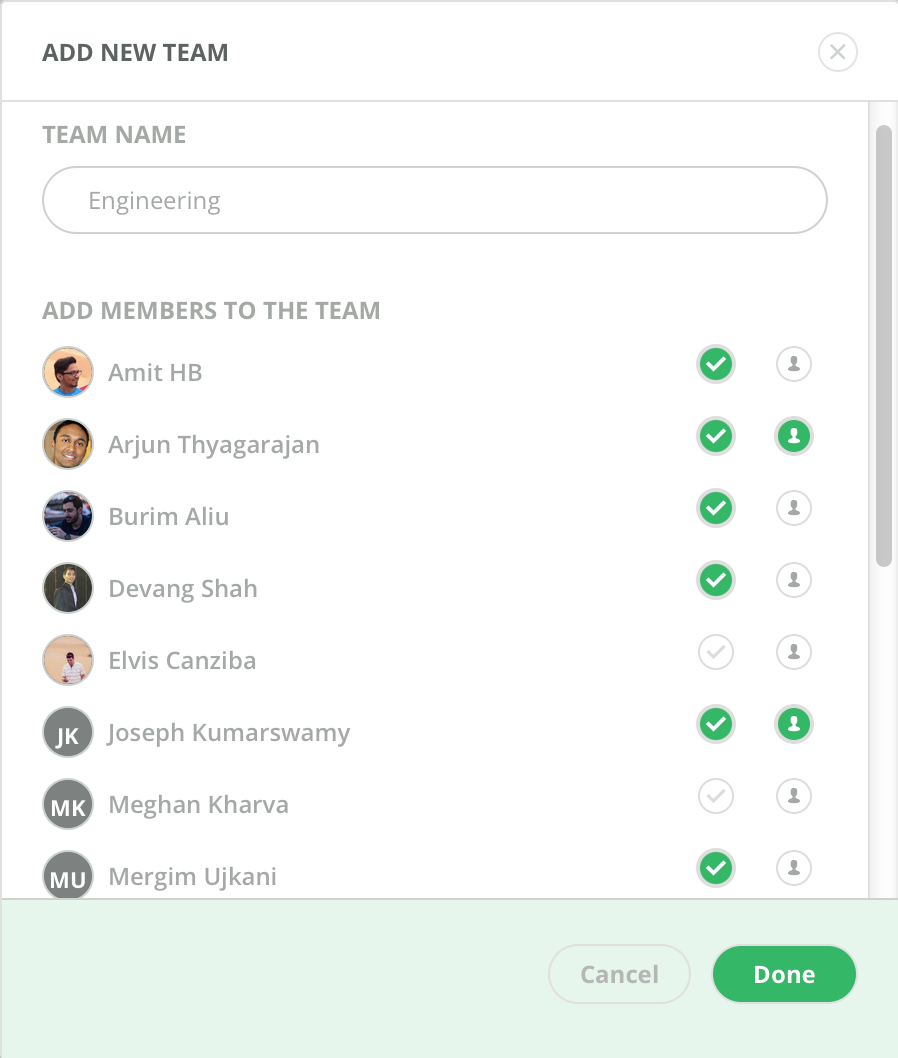
Only Account Admins have permission to create a Team. On the left pane at the bottom, click on ‘Add Team’.
- Enter the name of the team
- Select the members in the account that should have access to the team (with the checkmark)
- Select the members that you would like to assigned as Team Admins (person icon)
- Hit 'Done'
Once Team is created and members given access, the Team shows up in each member’s TeamsID account.
Manage a team
If you are an Account Admin or Team Admin, to the right of the Team name, you can click on the ‘Team Settings’ gear. This gives you the details of the team such as team name (you can change the Team name), its members, admins and info about who created it and when. You can also invite new members to the team by email.
